
The Future of Autonomy, Today
Autonomous Vehicles Don’t Exist
Cruise: 2023 - 2025
Title: Sr. UX Design Manager
Reports: 1 L5 UXD, 1 L4 UXD

Let's get this out of the way upfront: Autonomous vehicles don’t exist. What we call "robot cars," "robotaxis," or "autopilot" is actually a combination of fully autonomous systems, partially autonomous systems, and Remote Assistants (tele-ops people). Today's vision of autonomy is delivered through a combination of an autonomous stack (onboard sensors + AI) and Remote Assistance. In order to make autonomous ridehail at Cruise work, Remote Assistants (the people) used a piece of software called Terminal. During my tenure, I oversaw all on-road, fleet, and developer-focused tooling. Many of these systems were aging, lacked functionality, and/or were not positioned to successfully support Cruise’s business at-scale. Terminal was no exception.
The problem with Terminal was that, when humans remotely instructed AVs, their involvement became obvious to riders and those around them. Our cars would start and stop often, sit motionless for long periods of time, or worse, become stuck and require vehicle recovery by a field-team. The challenge my team faced was how to handle the long-tail of on-road scenarios, like unwanted public interactions, managing law enforcement interventions and emergency vehicles, handling passenger medical emergencies, effectively communicating with human traffic controllers & construction workers in a way that appeared seamless to the rider, other road users, and the broader community. Doing so was critical to maintain the illusion of autonomy and for Cruise to deliver the magic of autonomous rides.
The Business Case
Our tools weren’t designed for our future, they were designed for our past. In order to be market-competitive, we needed to reduce the time vehicles spent engaged with Remote Assistants.
<10s
Time to First Action (TTFA)
-30%
Average Handle Time (AHT)
<2%
Time in Remote Assistance (TiRA)
The User Problem
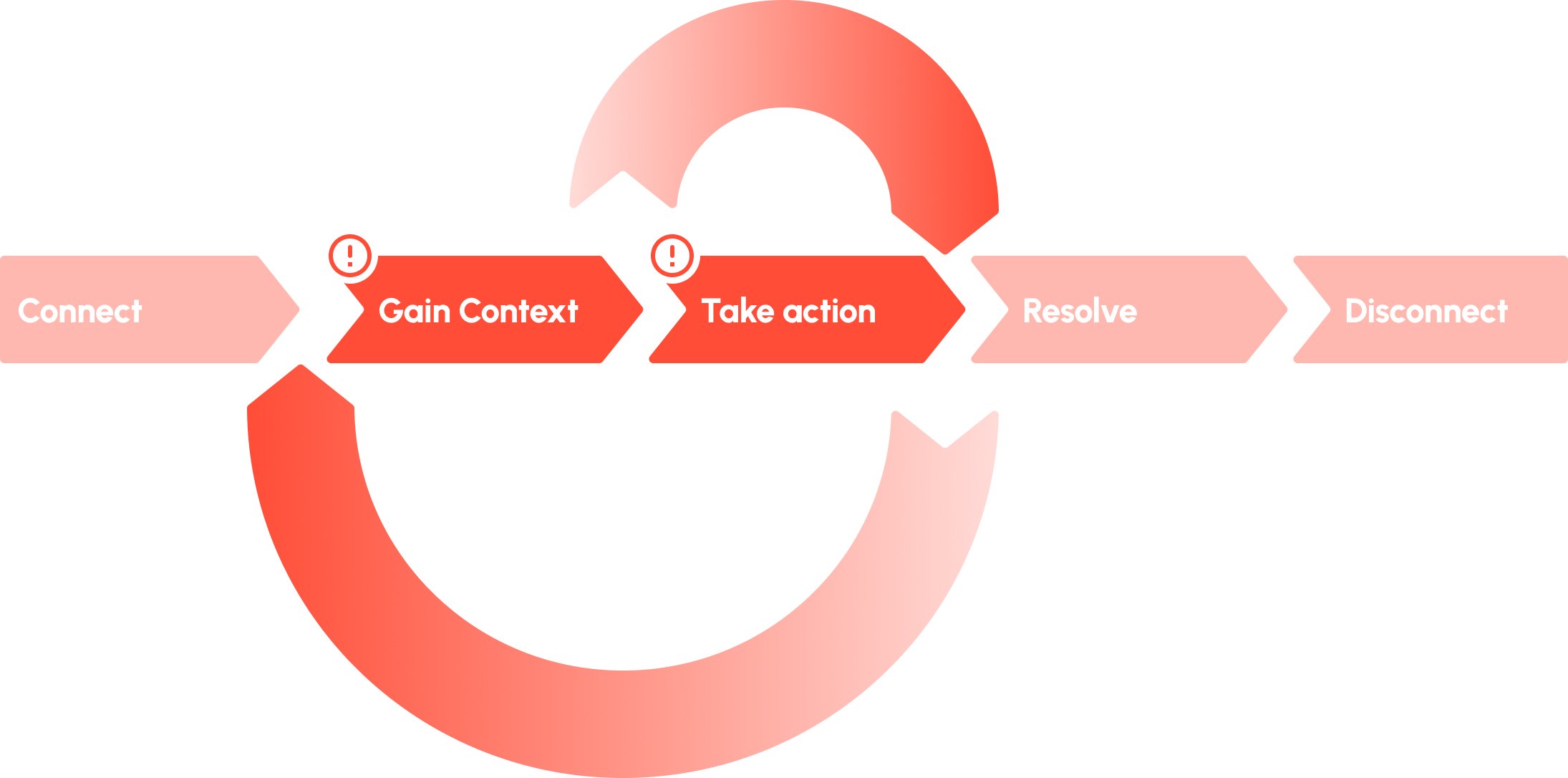
Remote Assistant User Journey
Human intervention in AV guidance took too long on the Terminal, causing un-humanlike driving behavior to be felt by the rider, other road users around the AV, police & first-responders, and the rest of the community. When looking at the Remote Assistant user journey, the problem was that when Remote Assistants connected to the AV, it took too long to quickly gain context and take correct action on the first try. In addition, tool usability was low, and it often took Advisors multiple tries to execute their intent , adding time and cognitive load to their journey.
Our Starting Point
The original Terminal interface was designed for the past, not the future. Some top issues hindering Remote Assistants from quickly gaining context and taking action were:
Hidden Context: Key scene information was inaccessible until manually retrieved, hindering timely responses.
Cluttered UI: Essential controls were buried in nested menus, wasting operator time.
Inconsistent Color Coding: Colors had multiple meanings, leading to confusion (e.g., red indicated both emergency stop and minor alerts).
Poor Information Hierarchy: Important context was hidden, while less critical information (like software branch) was always visible.
Limited View: UI clutter reduced the visible area for monitoring and controlling the AV.
Unpredictable Actions: Lack of AV transparency required repeated attempts to execute commands.
Learning Fast
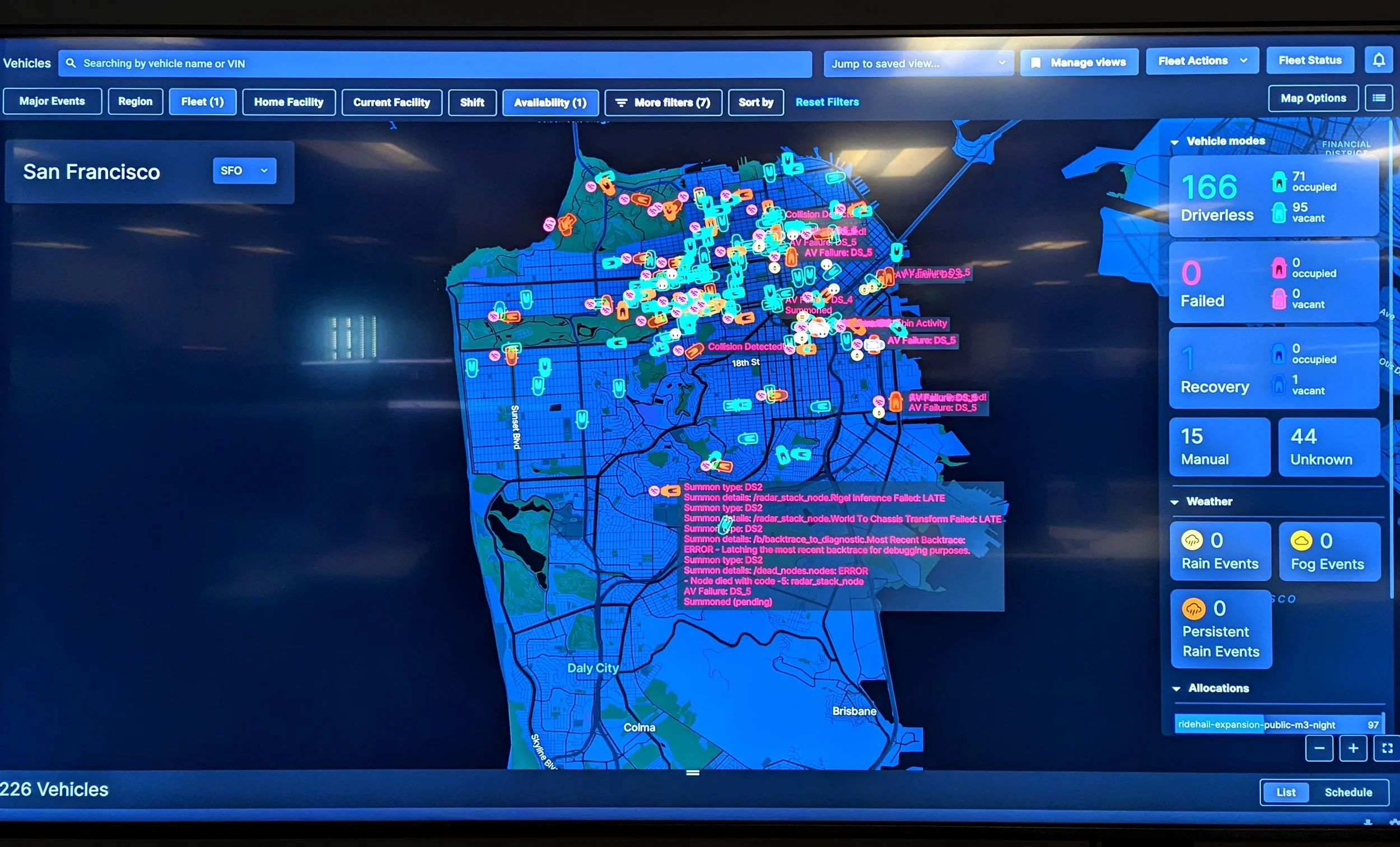
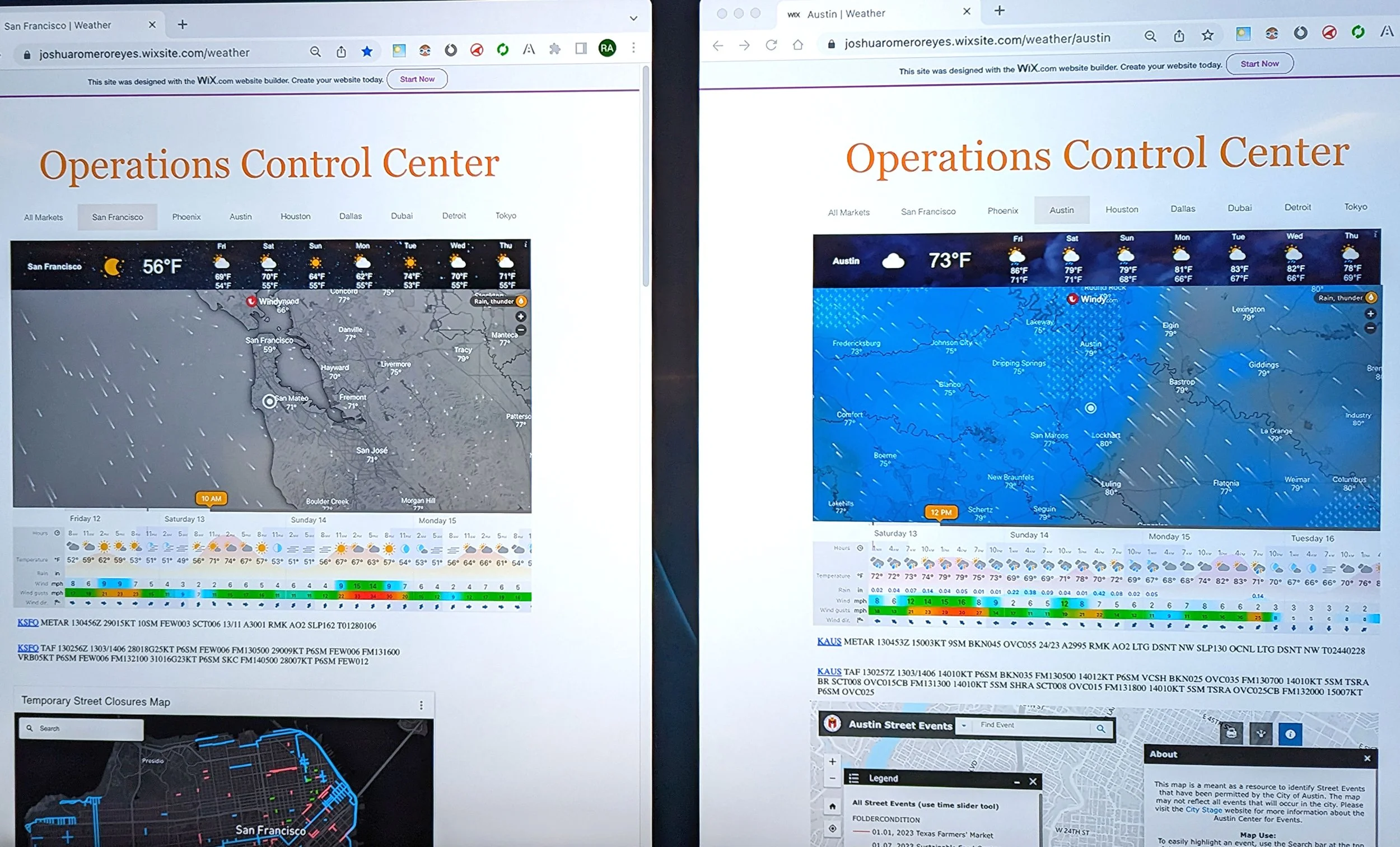
To wrap our head around the problem, and learn about user needs and pain-points firsthand, our team converged on the operations center in Phoenix to directly observe our Remote Advisors.
Research Objective: Learn about target users, their responsibilities & jobs to be done, and their ecosystem of tools so that we could better understand how to help them quickly gain context and take action.
Research Methods: Observational research, contextual inquiry, focus groups, time in motion study (using eye-tracking software).
What we learned: RAAs faced a friction-full experience, dealing with many tools to complete simple workflows, and an AV that was a black-box which didn’t provide the necessary feedback to operators.
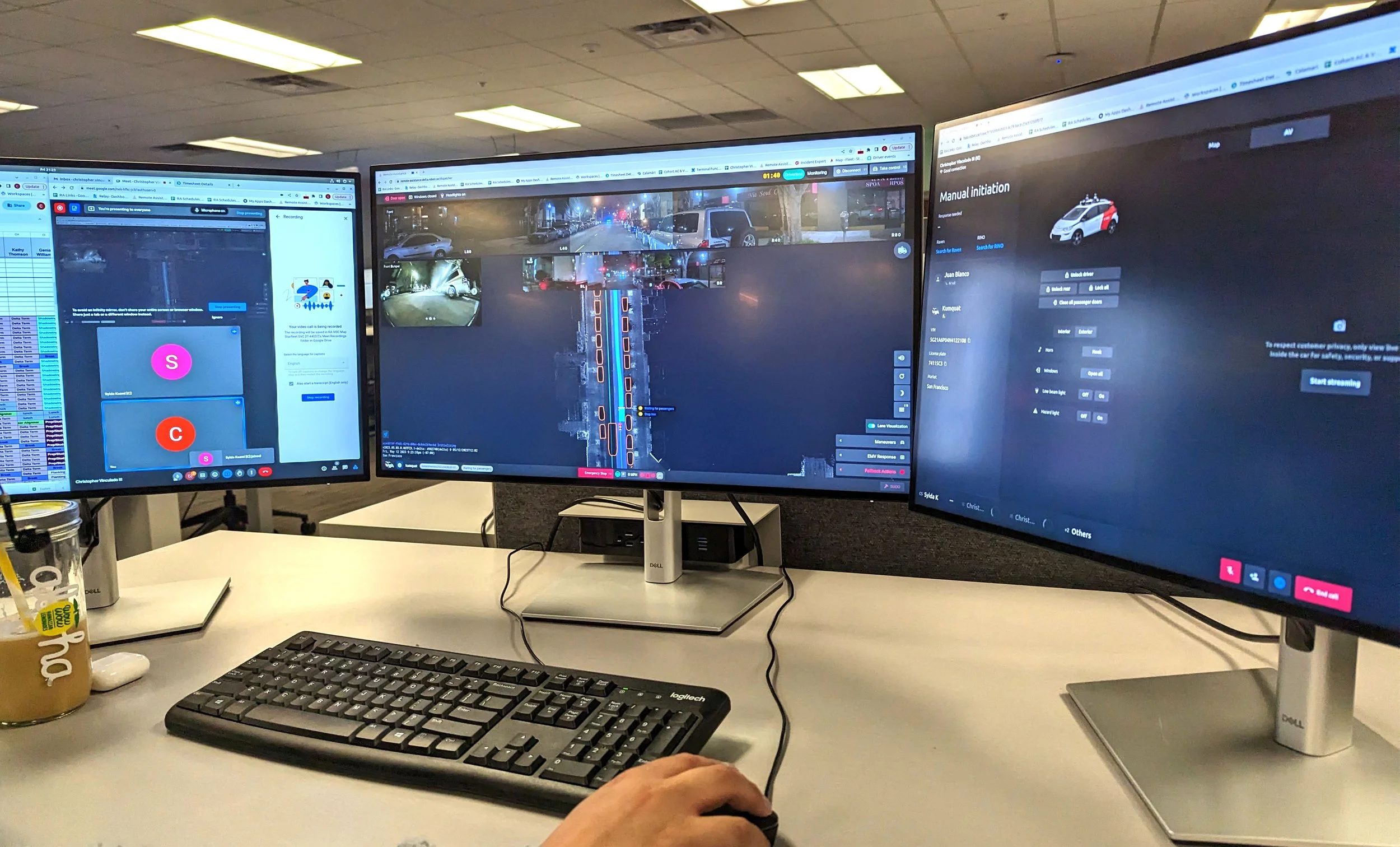
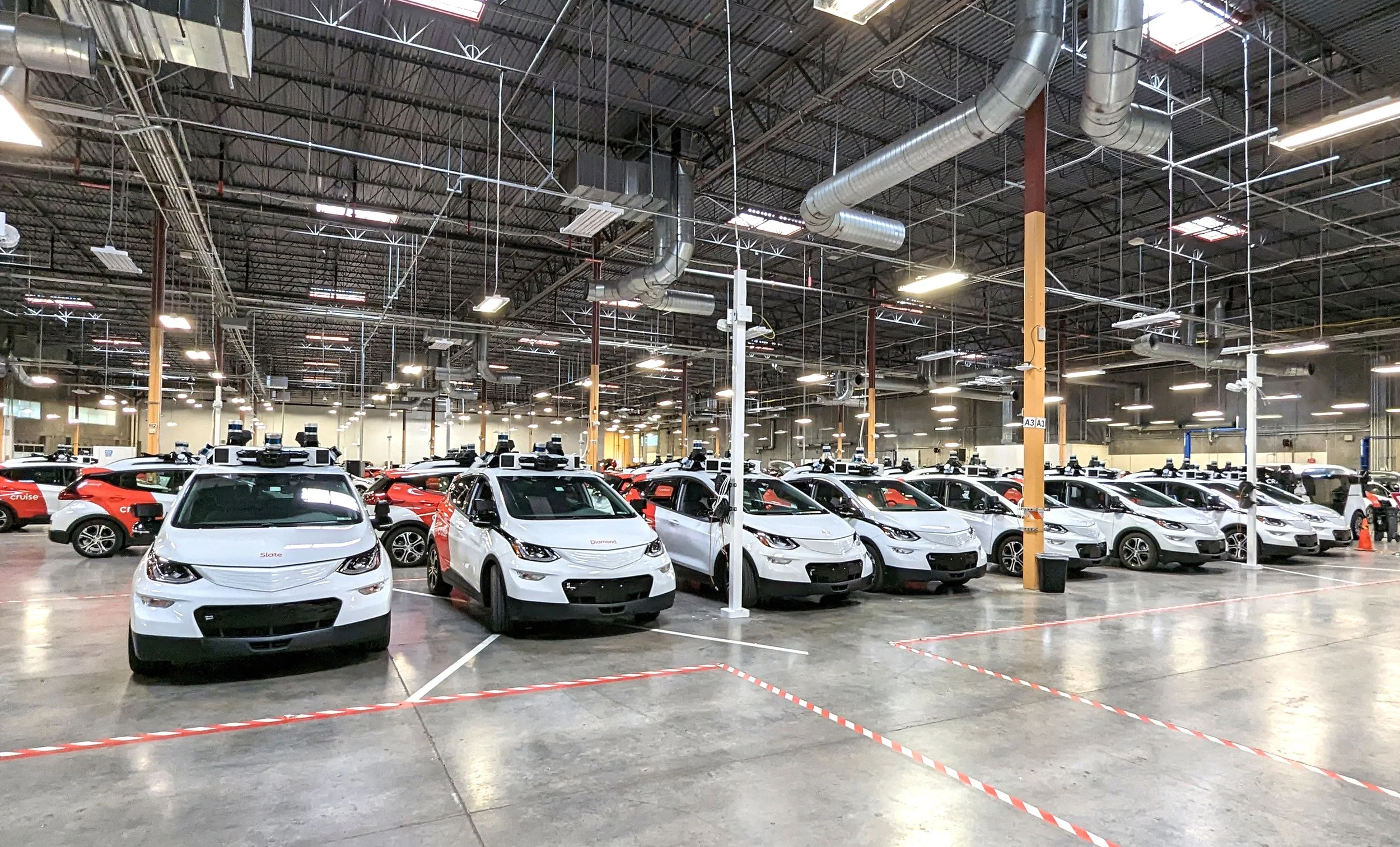
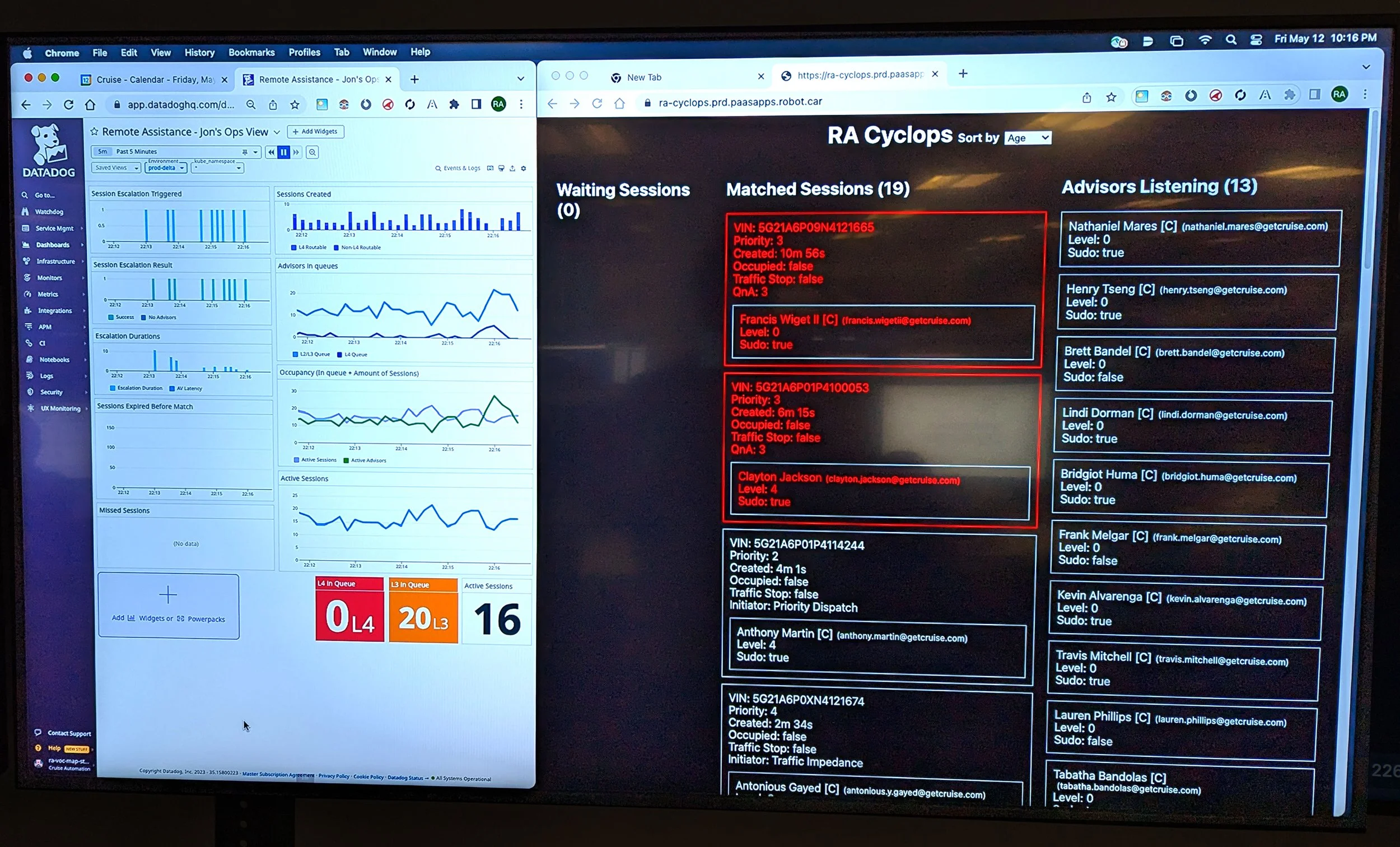
Users & Their Ecosystem
-

Remote Assistant Advisor
Responsible for helping the AV when it gets stuck. Their goal is to unstick the AV as quickly as possible while minimizing community impact.
-

Customer Service
Responsible for helping customers when they need assistance (before/on/after rides). Their goal is to deliver exceptional service while adhering to Cruise SOPs. Remote Assistants frequently engage with Customer Service when rides are occupied.
-

Subject-matter Expert
Responsible for helping Remote Assistants in especially challenging scenarios. Their goals are to help advisors unstick the AV quickly and safely, while minimizing enterprise risk and impact to the community.
-

Supervisor
Responsible for Remote Assistant adherence to operational protocols, ensuring staffing, coordinating fleet-wide responses (like de-escalating a mass-crowding event), etc. Typically walk the operations floor going desk-to-desk helping their team.
-

Customer
Interested in safe, efficient, delightful transportation. Engages with Remote Assistants when law enforcement is involved, and engages with Customer Service if there is a problem with their trip (safety concerns, route taken, lost item, etc.).
A current-state filled with friction.
Design Principles
-
![Design Principles]()
After distilling research insights, and performing a heuristic analysis on the current system, we identified the following universal design principles to underpin the redesign and allow for Remote Assistants to gain context and take correct action more quickly.
-
![Color Theory]()
Color Theory
Attract attention, group elements, and indicate meaning.
Our color language was not MECE and diminished the overall power of certain colors – particularly alert colors like red and amber.
-
![Uniform Connectedness]()
Uniform Connectedness
Elements that are connected by uniform visual properties are perceived to be more related.
Maneuver inputs were sporadically placed around the interface, running across the bottom, center, and sides.
-
![Hick’s Law]()
Hick’s Law
The time it takes to make a decision increases as the number of alternatives increases.
Stopping and yielding the AV were achieved in several different ways throughout the interface, and only Emergency Stop had a deterministic effect. Moreover, telling the AV to “Go” (I.E. after lifting a stop point) was not the reverse of stop/yield further risking confusion.
-
![Iconic Representation]()
Iconic Representation
The use of pictorial images to improve the recognition and recall of signs and controls.
While establishing an icon language to represent AV and AI-related things isn’t easy, the wall-of-words needed to be broken up somehow to reduce cognitive fatigue.
-
![Proximity]()
Proximity
Elements that are close together are perceived to be more related than elements that are farther apart.
We consolidated functionality placed around the interface and grouped like-features and content into predictable locations in a bento-box approach.

Gain Context
Improve Usability
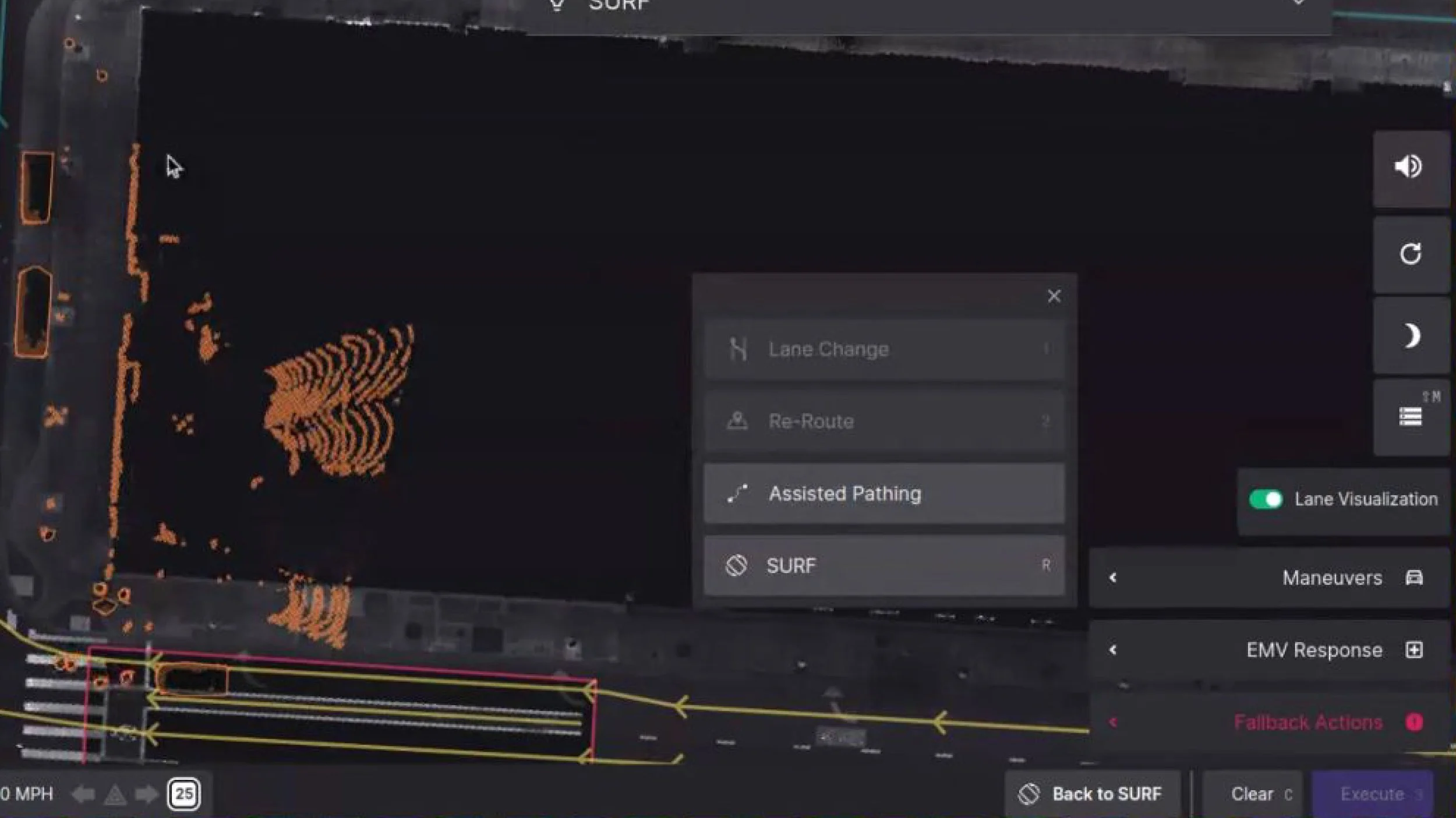
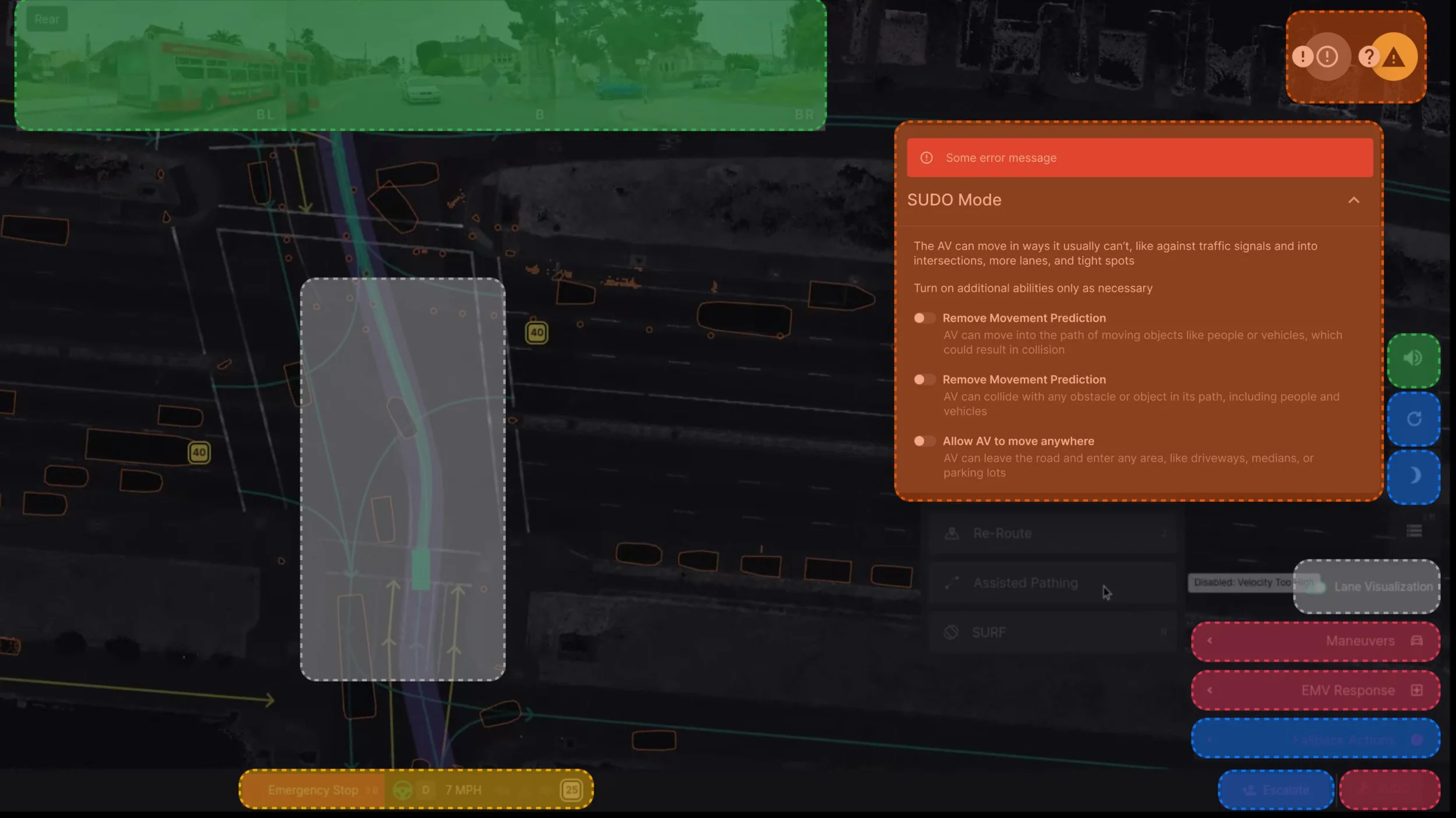
Eliminate overlapping panels and blocked buttons by implementing a Bento Box style layout with predictable locations for content and functionality.
Alleviate the need for Advisers to move their eye around the screen to find similar content.
Disentangle visual design language by relying on the Cruise UI Design system.
Optimize Cameras
Ensure the full 360 situational awareness is presented on-load (Sys Eng requirement).
Give Advisors quick access to an enlarged camera view (validating ground truth).
Enhance the interface with birds-eye views (BEVs) when engaged in workflows that require complete awareness of objects in close proximity to the AV.
Streamline Workflows
Reduce the time it takes to complete critical workflows by colocating content into one rail.
Create a simple modular design system for the Workflow Manager units so that teams could amend/define new units on-the-fly.
Ensure the design system worked for every type of content, from simple to complex.
Introduce Safety-critical Functionality
Implement an event timeline so that Advisors understand the temporal order of session events.
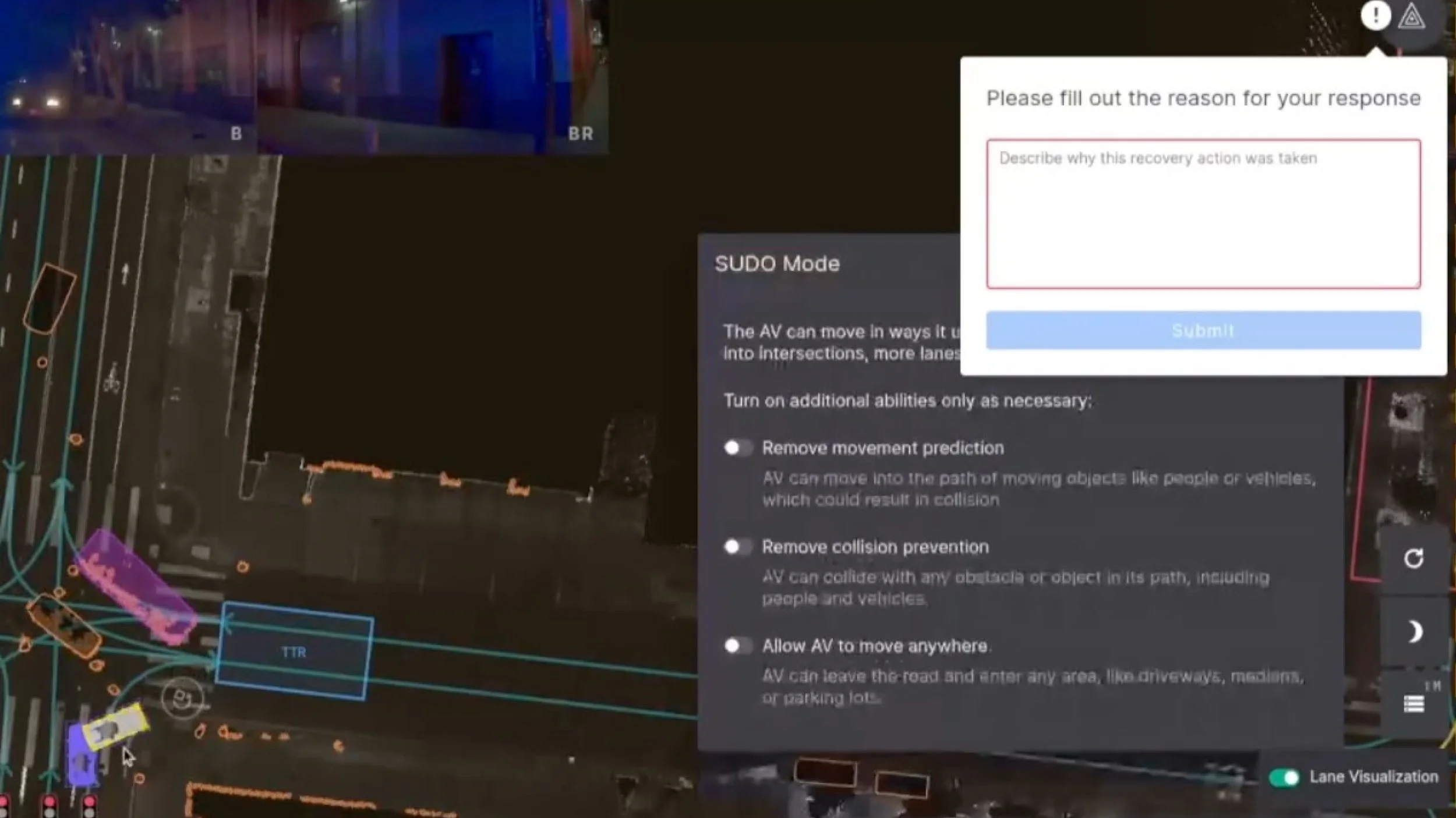
Enable Multiplayer Terminal sessions for support during challenging scenes, and for training purposes.
Integrate telephony and inter-operator communications so that support roles could verbally communicate with each other, the customer, and external parties.
Enhance Scene Context
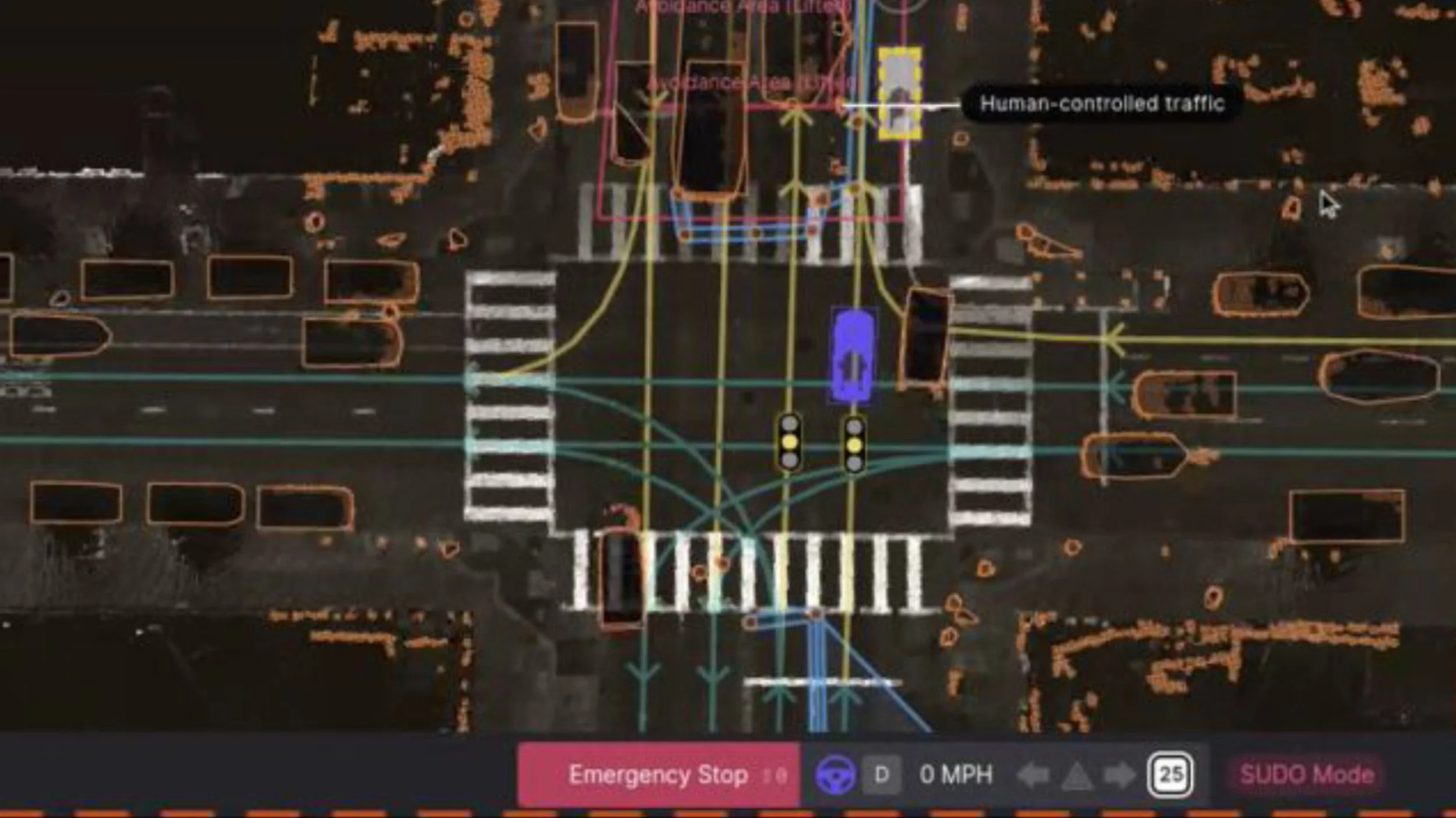
Refine visual presentation of the Tilemap to include:
More explicit object labeling (traffic signs, other road users, etc.)
De-noised roadway graphics (LIDAR intensity tiles —> vectors)
Visually connected avoidance areas and the maneuver needed to traverse them,

Take Action
Communicate
AV Intent
Ensure all stop points are properly visualized and have the ability to be lifted 1-by-1 or en-masse.
Visualize AV velocity changes and path impediments.
Simplify Maneuver Controls
Simplify the UI elements used to instruct, pose, and place the AV for greater usability and reduced visual clutter.
Simplify the hotkeys used in maneuver planning/execution for greater learnability and access.
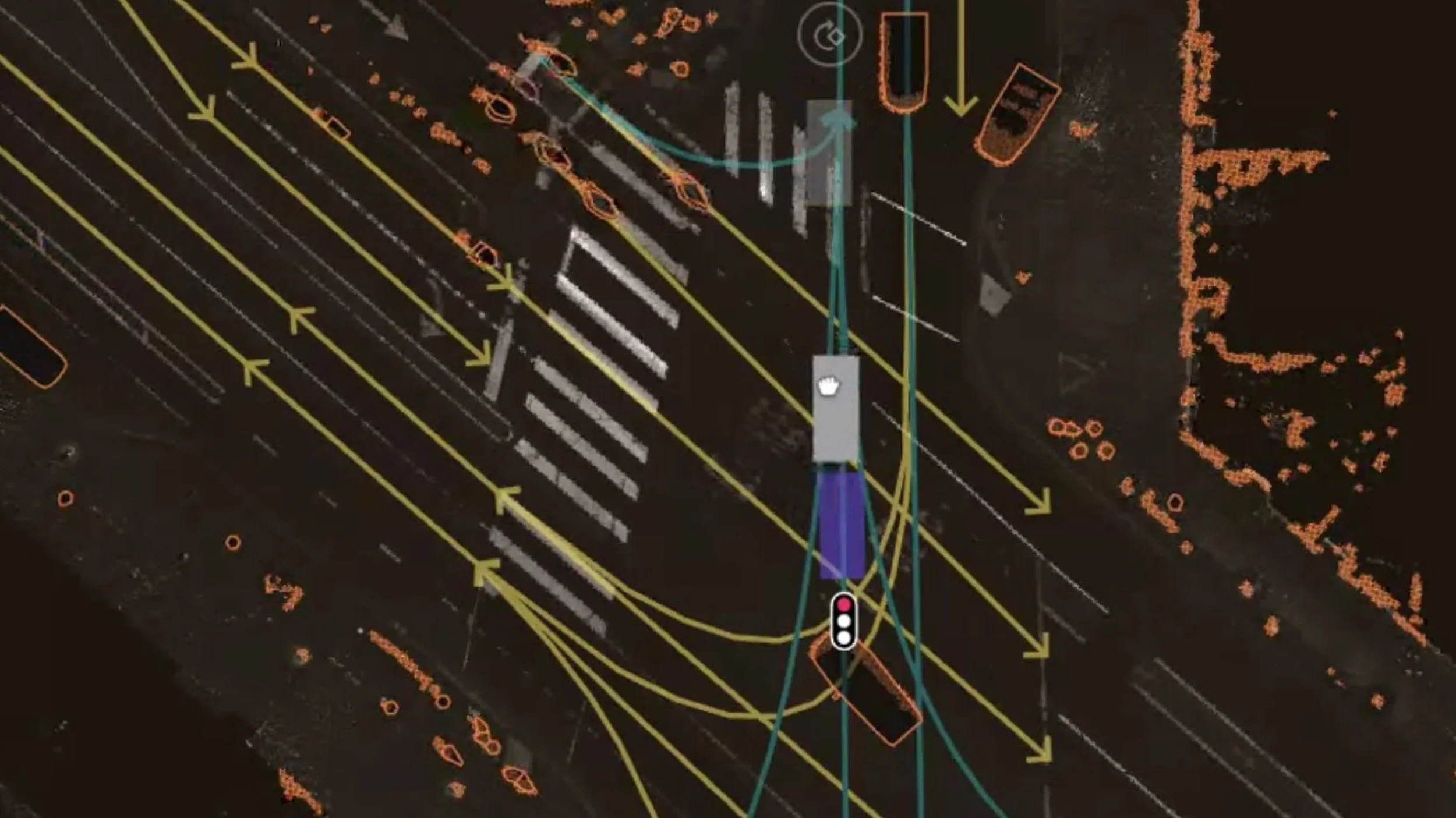
New Maneuver Modes: Drop a pin
Allow the Advisor to drop a pin anywhere that is drivable to tell the AV to “go-to-there” however it (safely) can.
New Maneuver Modes: Alternate intents
Allow the Advisor to select from up-to-three pre-solved alternate trajectories the AV could take. Relying on pre-solved trajectories allows this maneuver to be triggered while the AV is in-motion.
New Maneuver Modes: Spring-loaded Splines
Make the entry of small AV movements super-quick, relying on bezier tool drawing paradigms commonly used in interface design.
Concept Testing
To test our ideas in a realistic environment with advisors (I.E. in-motion, with other visual/auditory distractions present, etc.), we created several high-fidelity prototypes that we had advisors imagine were live Terminal sessions. Here’s some of what we learned:
Compartmentalizing content into a bento box was a huge win.
A rotating camera stack risked hiding critical views.
The more we could consolidate workflows, FYIs, and other informational content into one feed, the better.
A 3D map view wasn’t as important to advisors because the majority of AV stuck situations begin stopped and end with the AV in-motion.
A vector tilemap wasn’t seen as necessary as long as object labeling/coloring was improved (using existing LIDAR intensity tiles).
Many usability improvements.
Dig deeper: View Maneuver’s-specific presentation
Final Designs
-
![Nominal Driving]()
Nominal Driving
-
![Pivot]()
Pivot Maneuver
-
![Pivot]()
Pivot Maneuver In-progress
-
![Stop Point Lifting]()
Stop Point Lifting
-
![Stop Point Lifting]()
Stop Point Lifting In-progress
-
![EMV Yielding]()
EMV Yielding
-
![LEO Pullover]()
LEO Pullover
-
![Collision Response]()
Collision Response
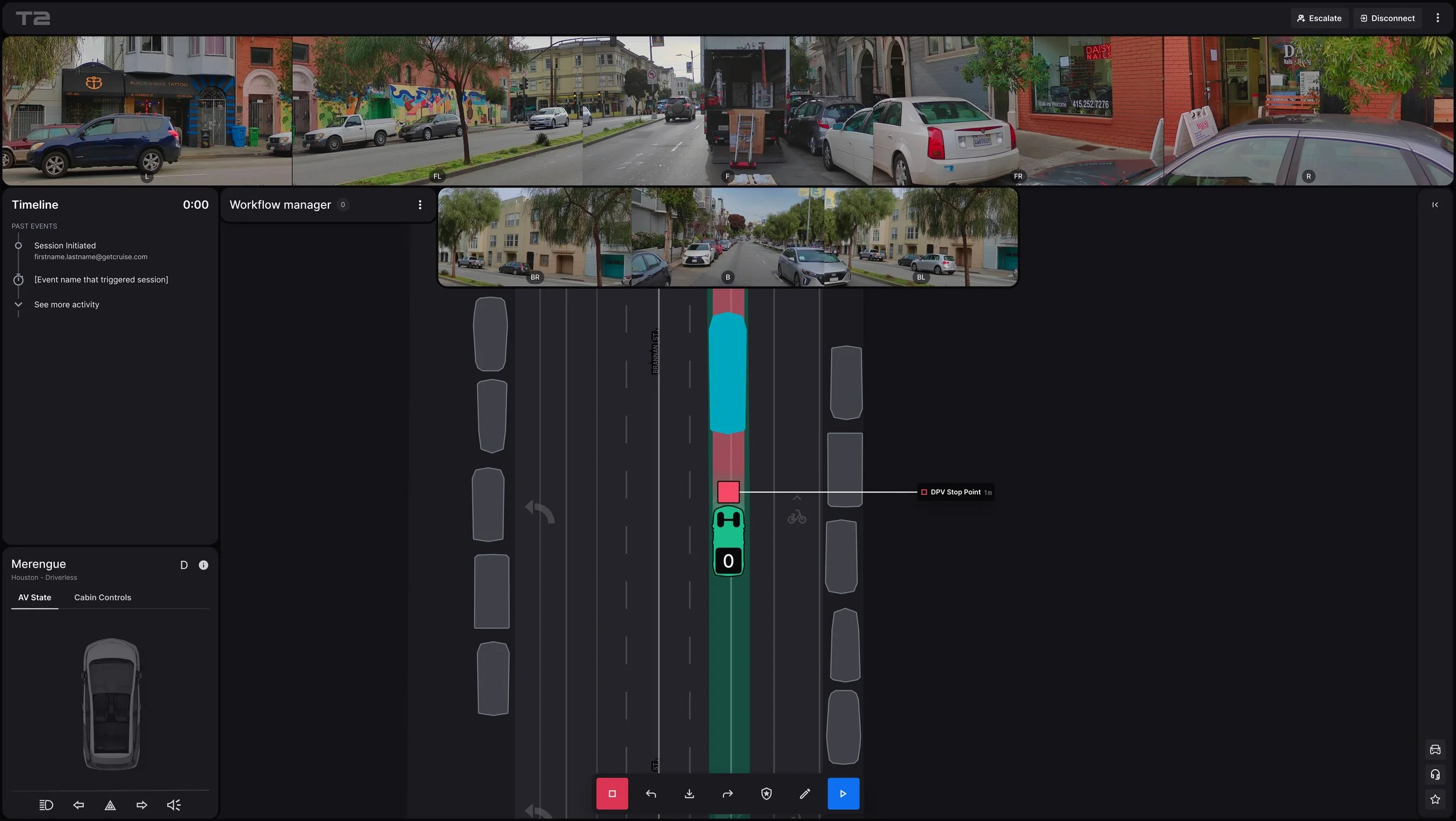
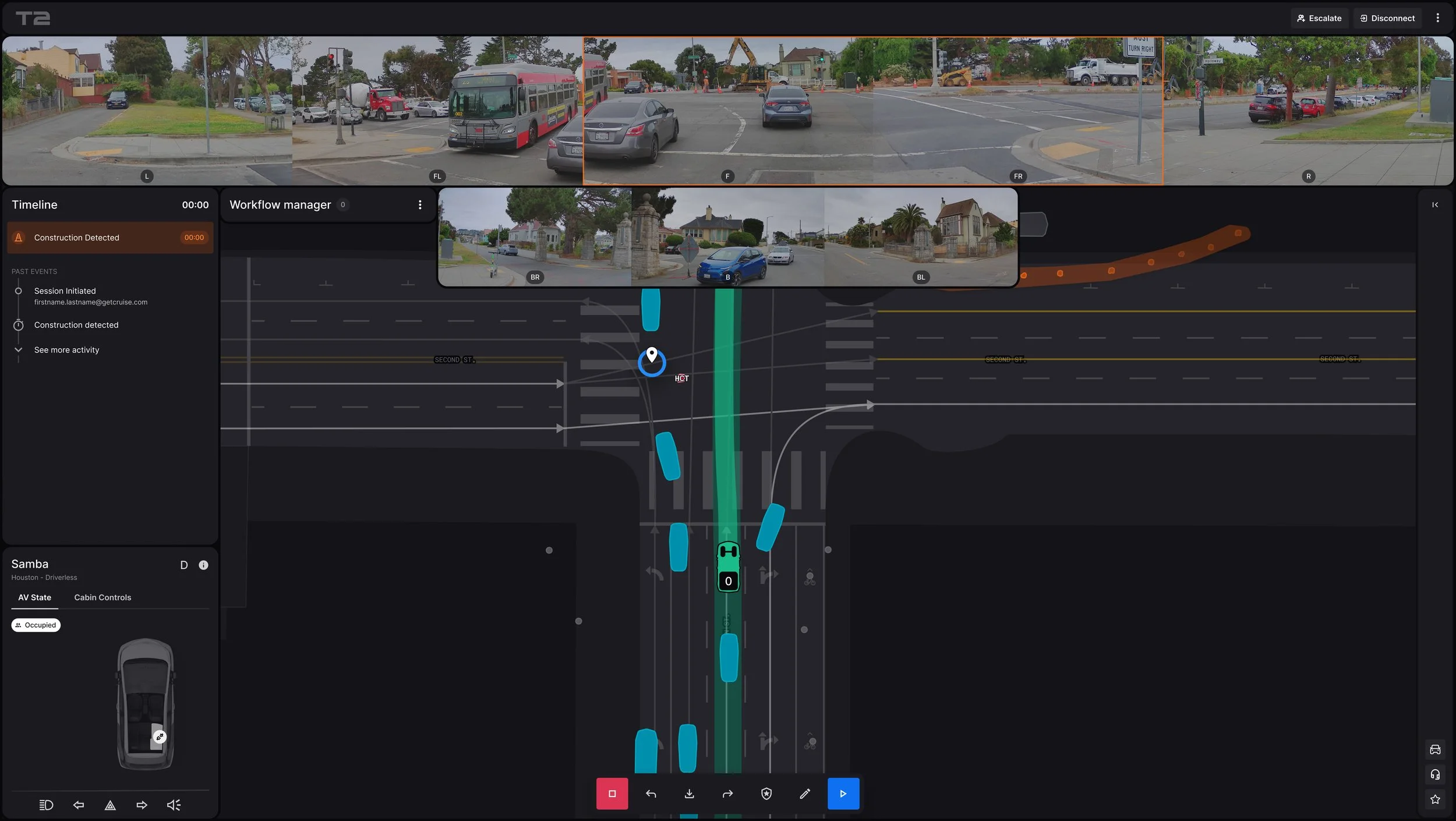
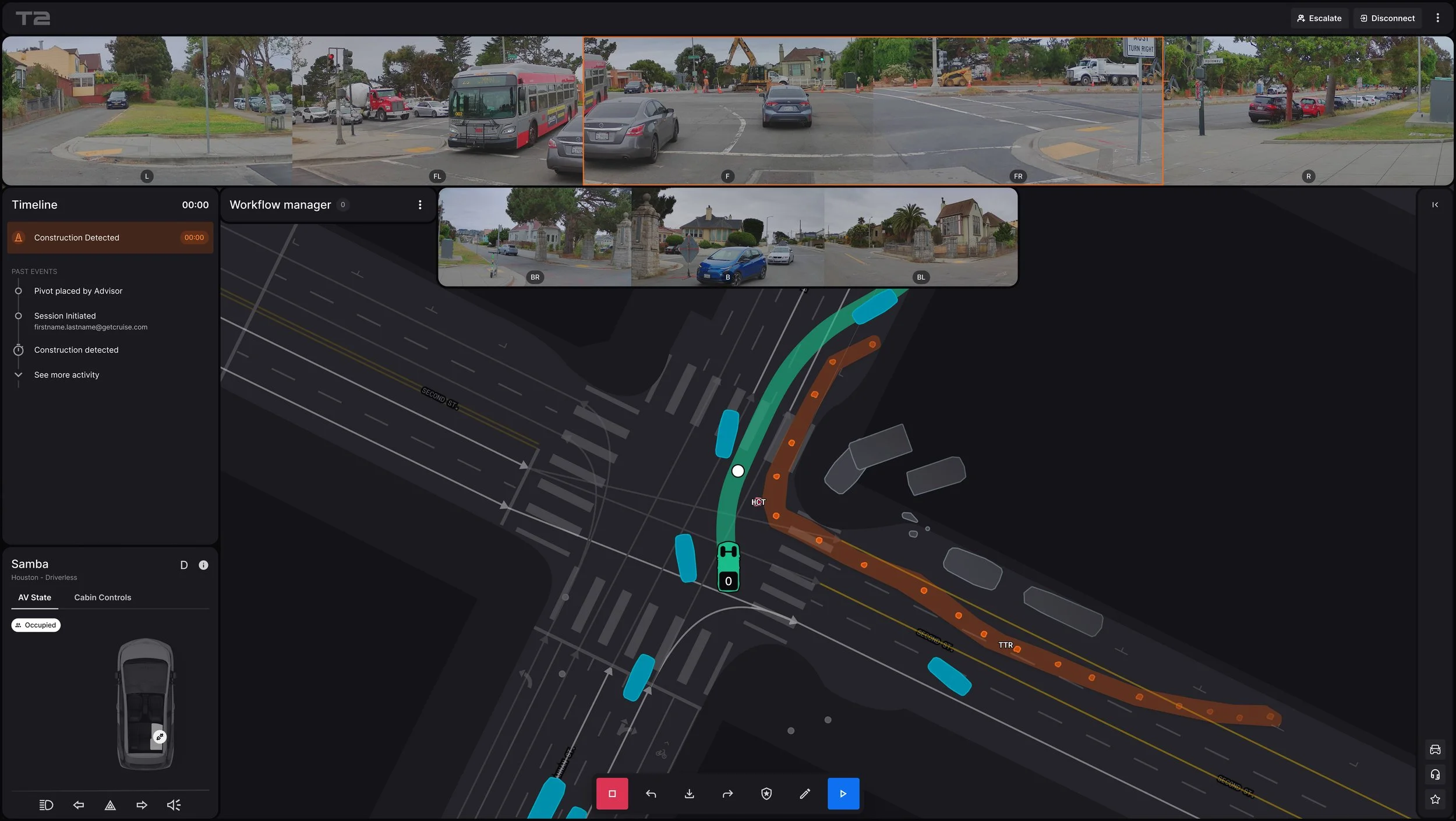
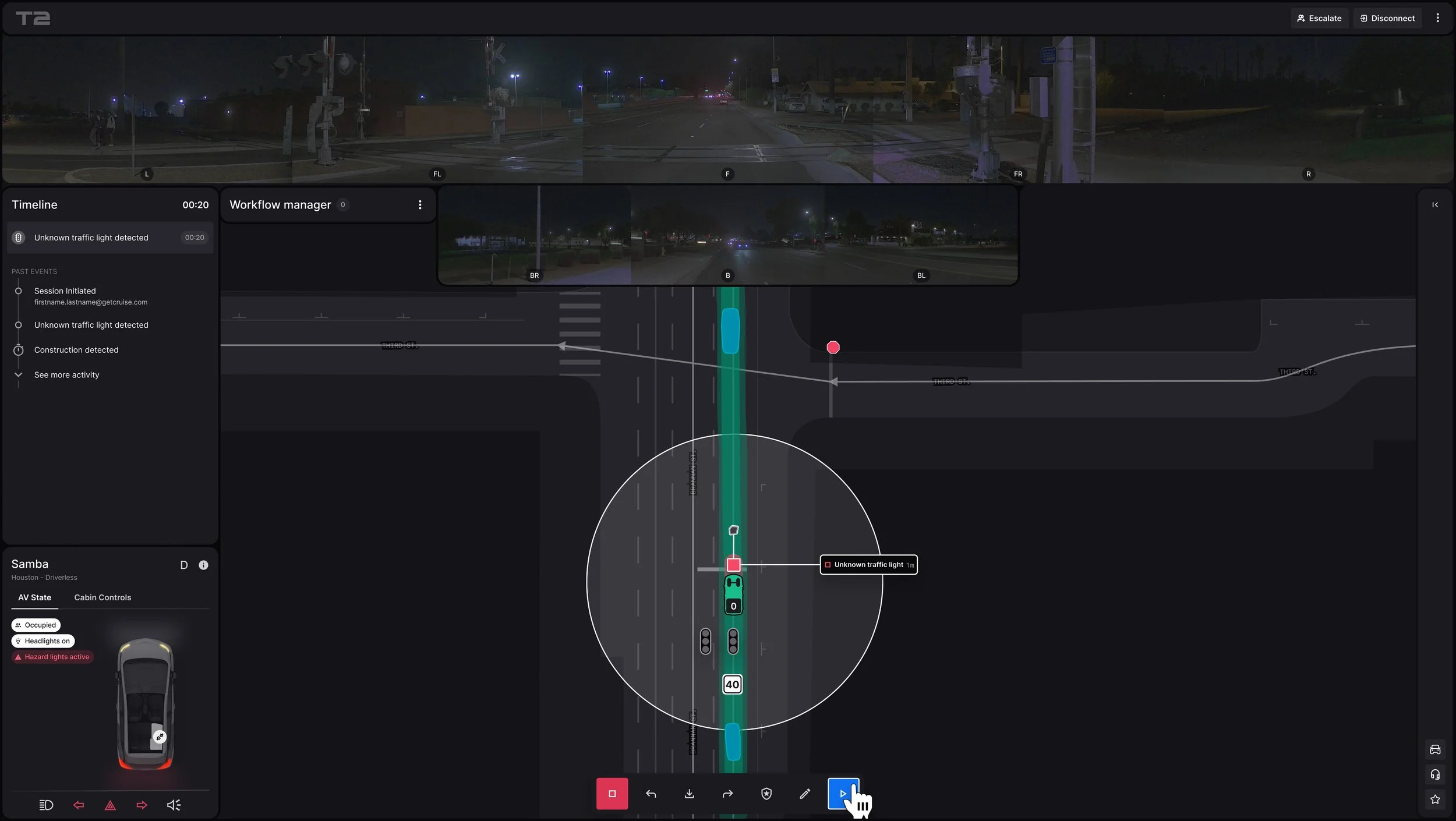
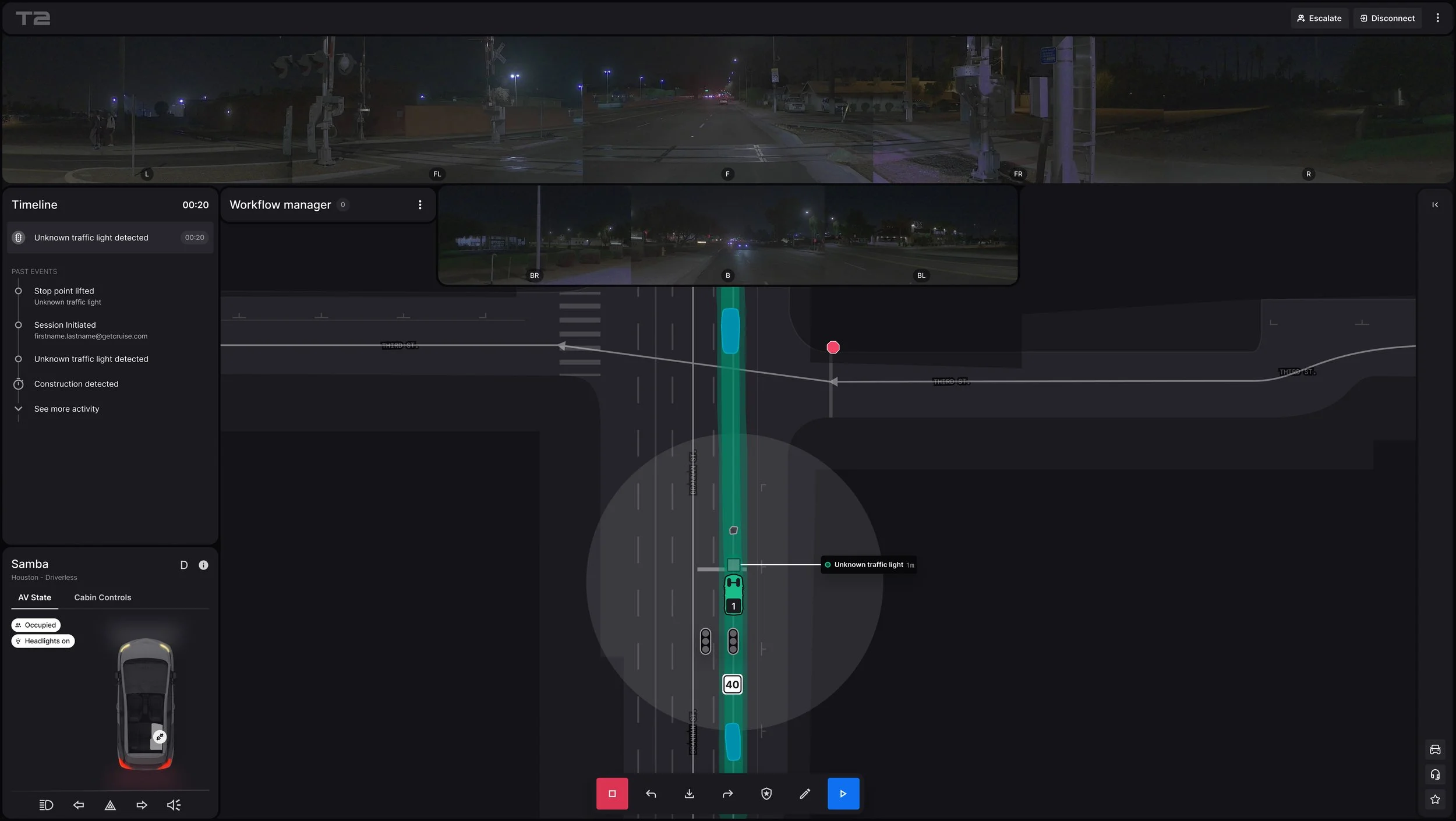
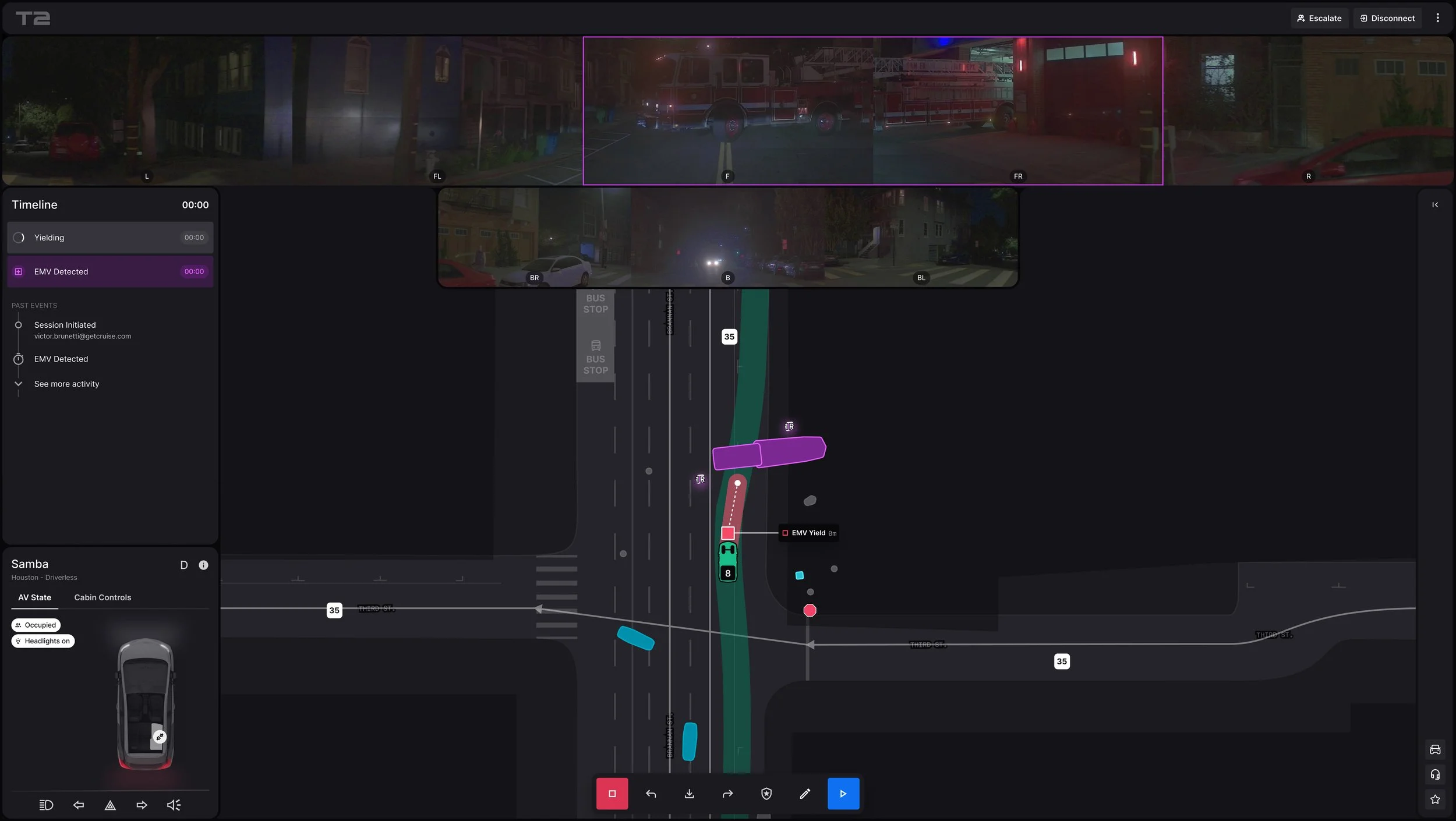
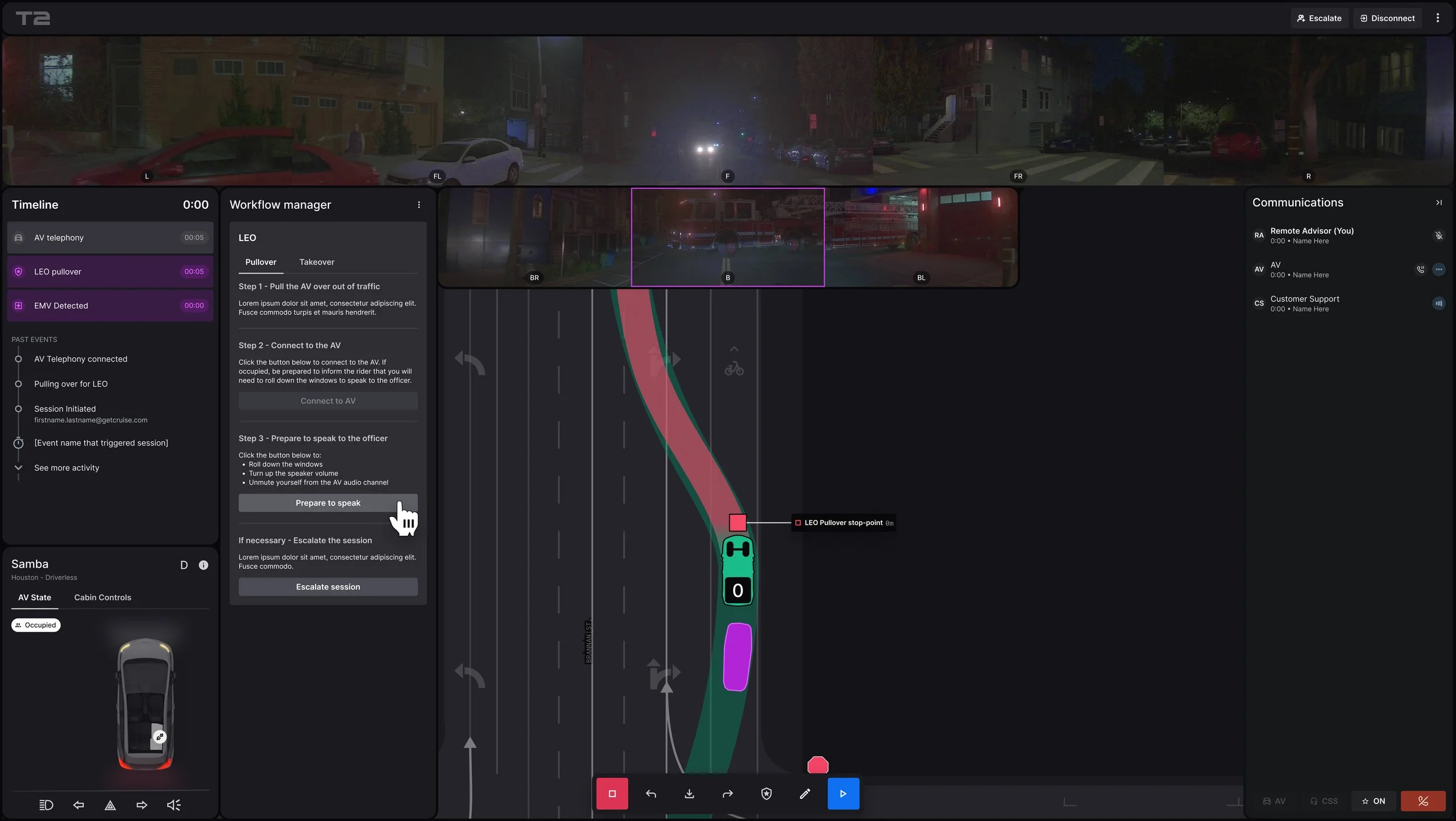
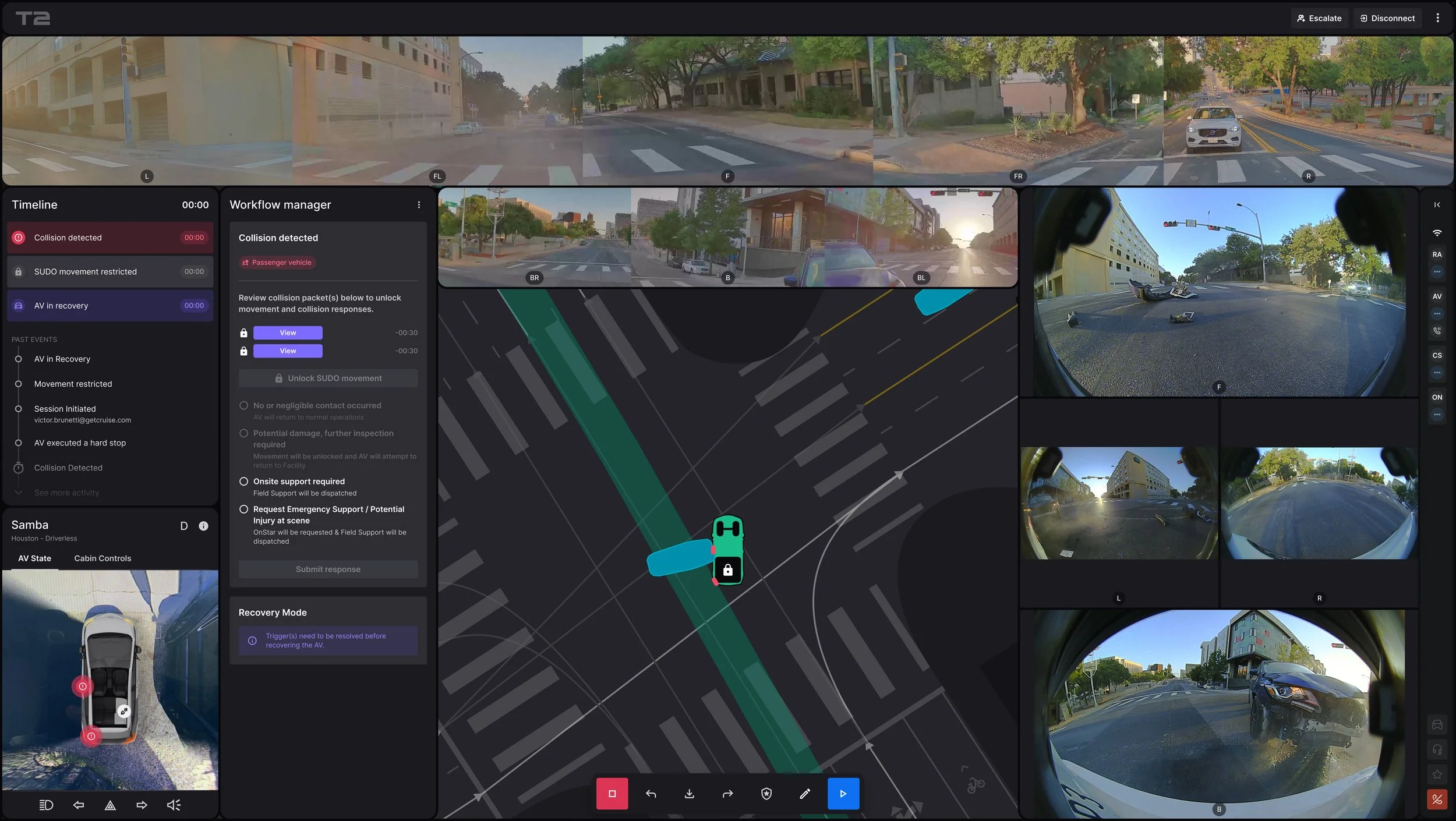
You created something we'd talked about for years and made it a reality. ‘T2’ will mean nothing to folks [outside of Cruise], but it was a step change for Cruise – and the industry.
— Jessica Inman, Senior Director of Operations at Cruise

Launch & Landing
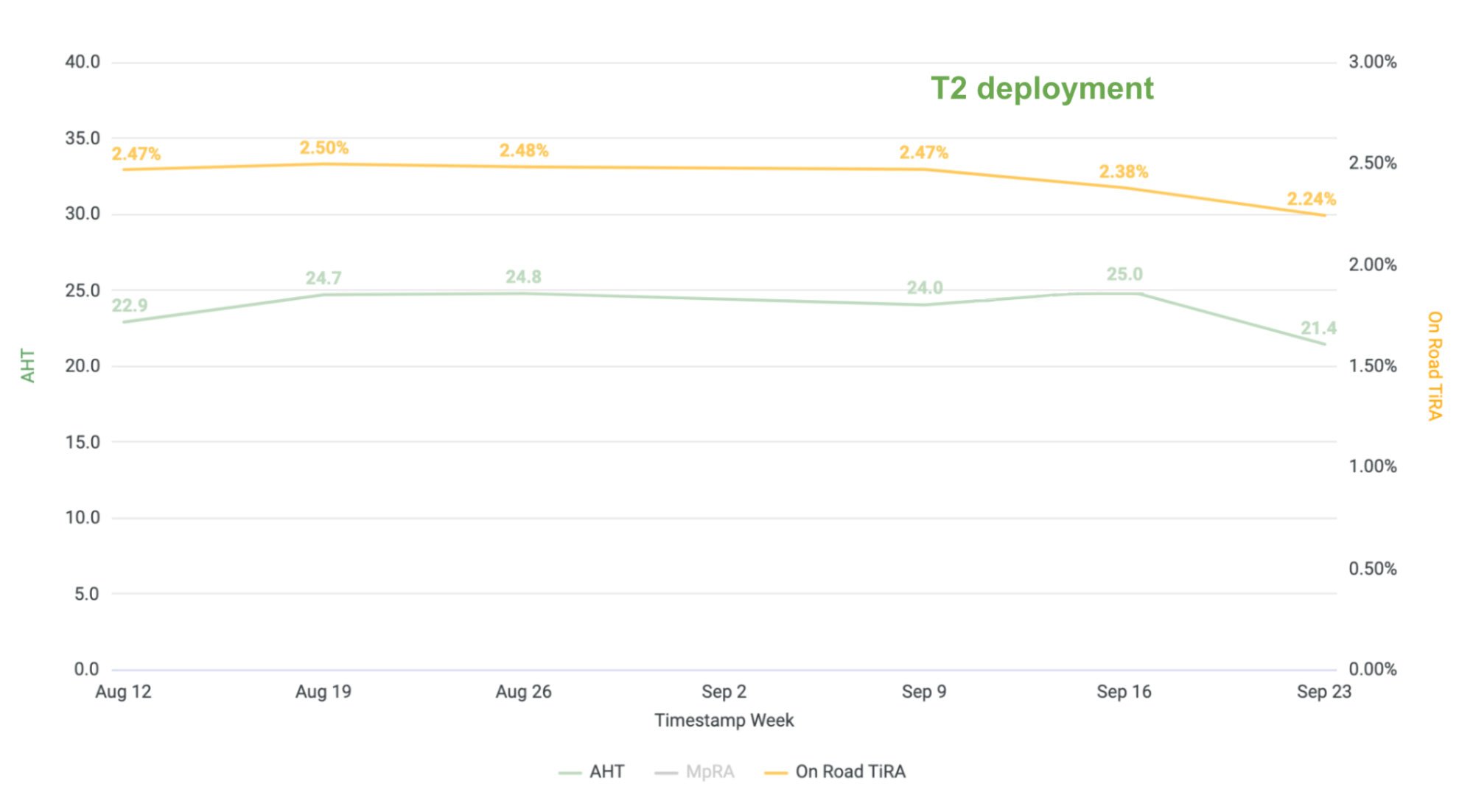
So, how did we do against our metrics?
Initial measurements show a steady decrease in AHT and TiRA.
AHT: We were looking for a 30% reduction (target 17 seconds.) from baseline (24 seconds). We achieved 21 seconds, an approximately 11% reduction in the first month since launch. Trending in the right direction, but not there yet.
TiRA: We were looking for a TiRA of less than 2% of total on-road time, and we achieved 2.24% of total on-road time in the first month. This represents an approximately 7% reduction from baseline (2.47%), but again not there yet.
Note: Time to First Action (TTFA) is only accurately measured without an AVTO present and (ideally) with passengers in the AV - two milestones that we were not able to achieve before funding was pulled.